Request Account Deletion - VirtuCart
This page is for users of the VirtuCart Apps who wish to delete their account and data.
Users can request account and data deletion directly through our apps.
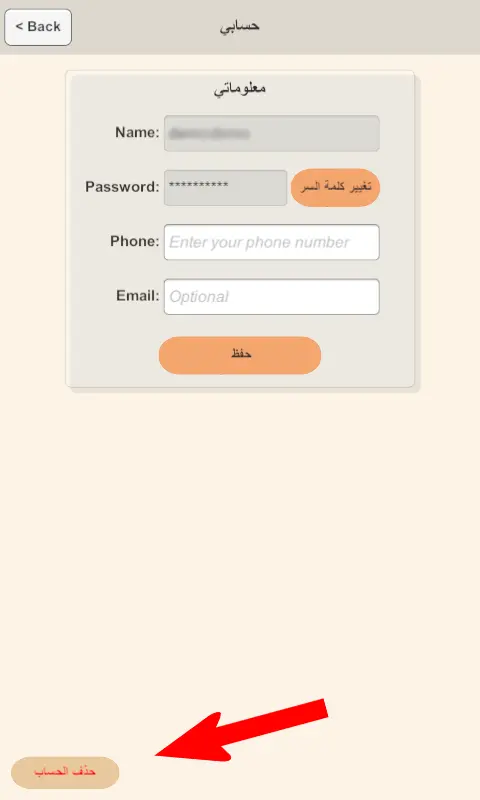
Below is an example screenshot showing where to find the Delete Account button in the app:
If you wish to delete your account and associated data, follow the steps below:
- Open the VirtuCart app on your device.
- Navigate to Account Settings.
- Select the MyAccount page.
- At the right bottom of the Account page you can find Delete Account button, Tap on it
- A dialog will appear to continue your account deletion process.
- To confirm your request, you will be required to:
- Enter your account password
- Type the word "Delete"
- After you confirm and click delete, your request will be processed within 48 hours
Note: Once your account is deleted, all associated personal data will be permanently removed from our servers and cannot be recovered.
If you need further assistance, please contact our support team at info@virtucart.store